Rutherfordium (Rf): Properties, Uses and Facts in 3D
Rutherfordium is element 104 on the periodic table, a transition metal. At room temperature it is expected to be a solid (too few atoms have ever been made to check). Open it in the 3D Periodic Table to spin its tile, see its electron shells and read its story.
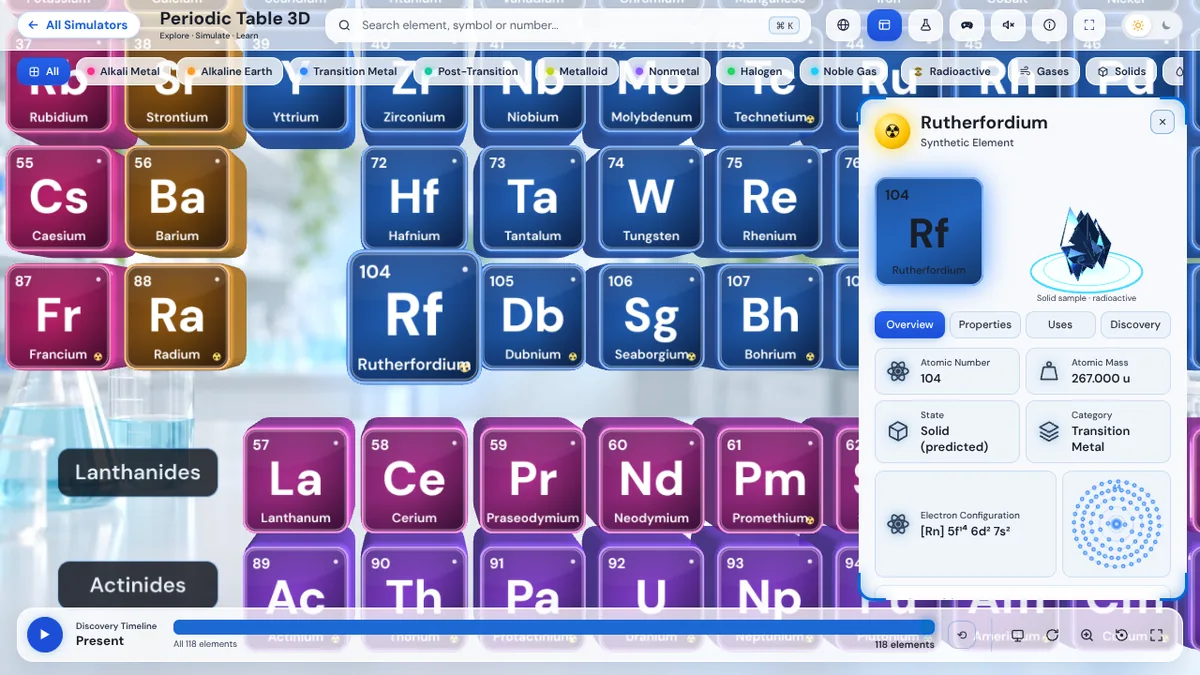 Explore in 3D
Rutherfordium quick facts
| Atomic number | 104 |
|---|---|
| Symbol | Rf |
| Atomic mass | 267 |
| Category | Transition Metal |
| Group and period | Group 4, period 7 |
| Block | d-block |
| State at room temperature | Solid (expected) |
| Electron configuration | [Rn] 5f¹⁴ 6d² 7s² |
| Electrons per shell | 2, 8, 18, 32, 32, 10, 2 |
| Discovered | 1964, Flerov |
What is rutherfordium used for?
- Scientific research only
- No practical applications
- Nuclear physics
Interesting facts about rutherfordium
- Named after Ernest Rutherford. Discoverer of the atomic nucleus
- Both the USSR and USA claimed discovery. The controversy lasted decades
- The IUPAC finally confirmed the name Rutherfordium in 1997
Rutherfordium was discovered in 1964 by Flerov in SU.
Where rutherfordium sits on the periodic table
Rutherfordium is in group 4, period 7. Tap any element to open its page.
Other transition metals
Rutherfordium questions
What is the atomic number of rutherfordium?
Rutherfordium has atomic number 104, so every rutherfordium atom has 104 protons in its nucleus. Its symbol is Rf and its atomic mass is 267.
Is rutherfordium a metal?
Rutherfordium is a metal. On the periodic table it is grouped as a transition metal, found in group 4, period 7.
What is the electron configuration of rutherfordium?
The electron configuration of rutherfordium is [Rn] 5f¹⁴ 6d² 7s². Its electrons sit in 7 shells: 2, 8, 18, 32, 32, 10, 2.
What is rutherfordium used for?
Rutherfordium is used for scientific research only, no practical applications and nuclear physics.
Who discovered rutherfordium?
Rutherfordium was discovered in 1964 by Flerov in SU.
The 3D Periodic Table is made by Julian Neagu, a solo founder in London, as part of VisionVix Simulators. It is free to use in the browser on desktop and phone, with no sign-up.